
User and operator guide · Operations
Read The Live Audit Log
On this page
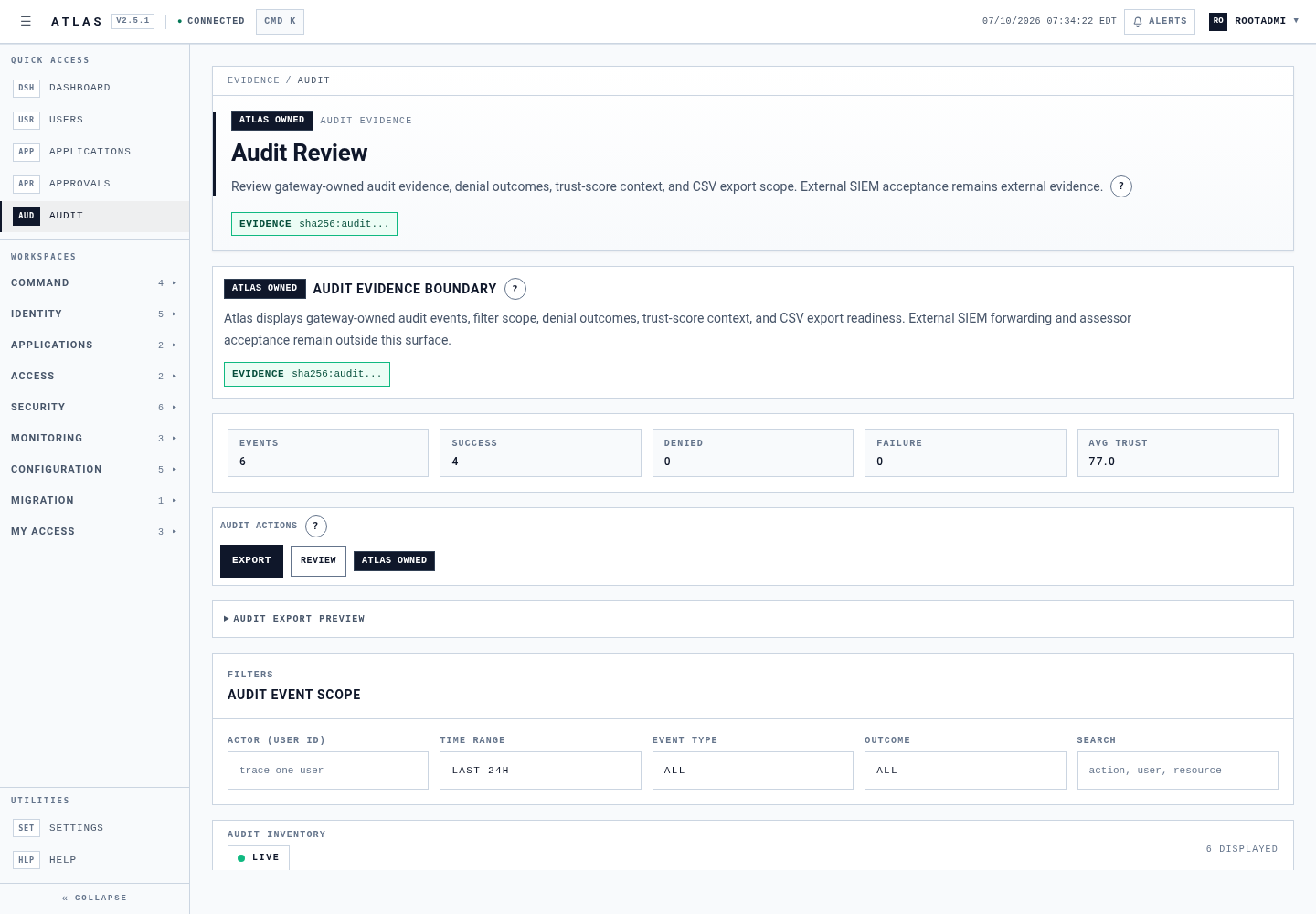
Use This Page WhenBefore You BeginWhat You Will DoProcedureRead the live feedPause, inspect, resumeFilter, search, and exportVerifyTroubleshootingRelated PagesUse the audit workbench to watch operator and security events the instant they happen, confirm that a specific mutation was recorded, and export a filtered slice as evidence.
Use This Page When
-
Watch operator and security activity as it happens, without reloading.
-
Confirm that a specific change — app publish or assign, authorization-policy edit, configuration write, directory group rule, approval, certificate rotation — was recorded.
-
Export a filtered window of the trail (actor, type, outcome, time) as CSV evidence.
Before You Begin
| Requirement | What to verify |
|---|---|
Access |
An operator session holding |
Runtime |
The gateway is up and the authoritative audit log verifies. If integrity verification fails the workbench is fail-closed (see Troubleshooting). |
Evidence boundary |
Atlas proves what it recorded and that the record is unbroken. Retention, archival, and off-box forwarding are deployment-owned. |
What You Will Do
-
Open the audit workbench and read the live feed.
-
Pause to inspect a burst, then resume to flush buffered rows.
-
Filter and search to isolate a specific actor, type, or outcome.
-
Export the filtered window as CSV.
Procedure
Read the live feed
-
Open Evidence → AUDIT (
/audit). The feed opens Live by default and streams over Server-Sent Events atGET /api/audit/events/stream. -
Observe the frames the stream delivers: a
helloframe carrying the current cursor on connect, oneauditframe per event (its SSE id line is the event’s sequence/cursor), aheartbeatkeep-alive every 25 seconds, and aresetframe if the client cursor has aged out of the replay ring. -
Watch new rows highlight briefly as they arrive at the top of the table.
|
Note
|
The stream reconnects automatically with exponential backoff, carrying its last cursor as |
Verify
| Check | Passing result |
|---|---|
Live arrival |
Perform any operator mutation in another tab (publish an app, edit an authorization policy, stage a certificate). The event appears as a highlighted row within about a second — no reload. |
Coverage |
Operator mutations are recorded through |
Continuity |
The |
Integrity |
The authoritative log is an ECDSA-P384-signed Merkle chain. A healthy log renders normally; a broken chain hard-blocks the workbench rather than serving unverified rows. |
Troubleshooting
| Symptom | Likely cause | Operator action |
|---|---|---|
Feed stops updating; a "N new events" pill is showing. |
The toggle is Paused; arrivals are buffering. |
Click Live to resume and flush the buffer. |
The whole workbench is blocked behind a 503 banner. |
Authoritative audit integrity verification failed; the page is fail-closed so unverified rows never render. |
Repair, archive, or reset the authoritative log. Identity and self-service panes continue with degraded audit evidence until it is restored. |
Export is refused. |
The same integrity failure blocks export — Atlas will not emit evidence it cannot vouch for. |
Restore authoritative audit integrity, then re-export. |
The stream delivered a |
The client cursor aged out of the replay ring (a long disconnect). |
Expected — the page refetches the full log and resumes streaming from the current cursor. |
Related Pages
-
Monitoring — audit pipeline health as an operational signal.
-
Manage Authorization Policies — the signed policy catalog and the operator-mutation gate whose writes land here, including
authorization_policy_tamper_detectedevents. -
Watch Live Trust Scores And The Dashboard — the Dashboard streams Recent Activity from this same audit SSE feed.
-
Manage Certificates — every staged rotation and activation is recorded on this trail.